
Healthcare runs better on MedOS
When the admin runs itself, your people get back to what matters — caring for patients. MedOS connects the operational work behind the scenes, so clinics, hospitals and care teams spend less time on systems and more time with the people in front of them.
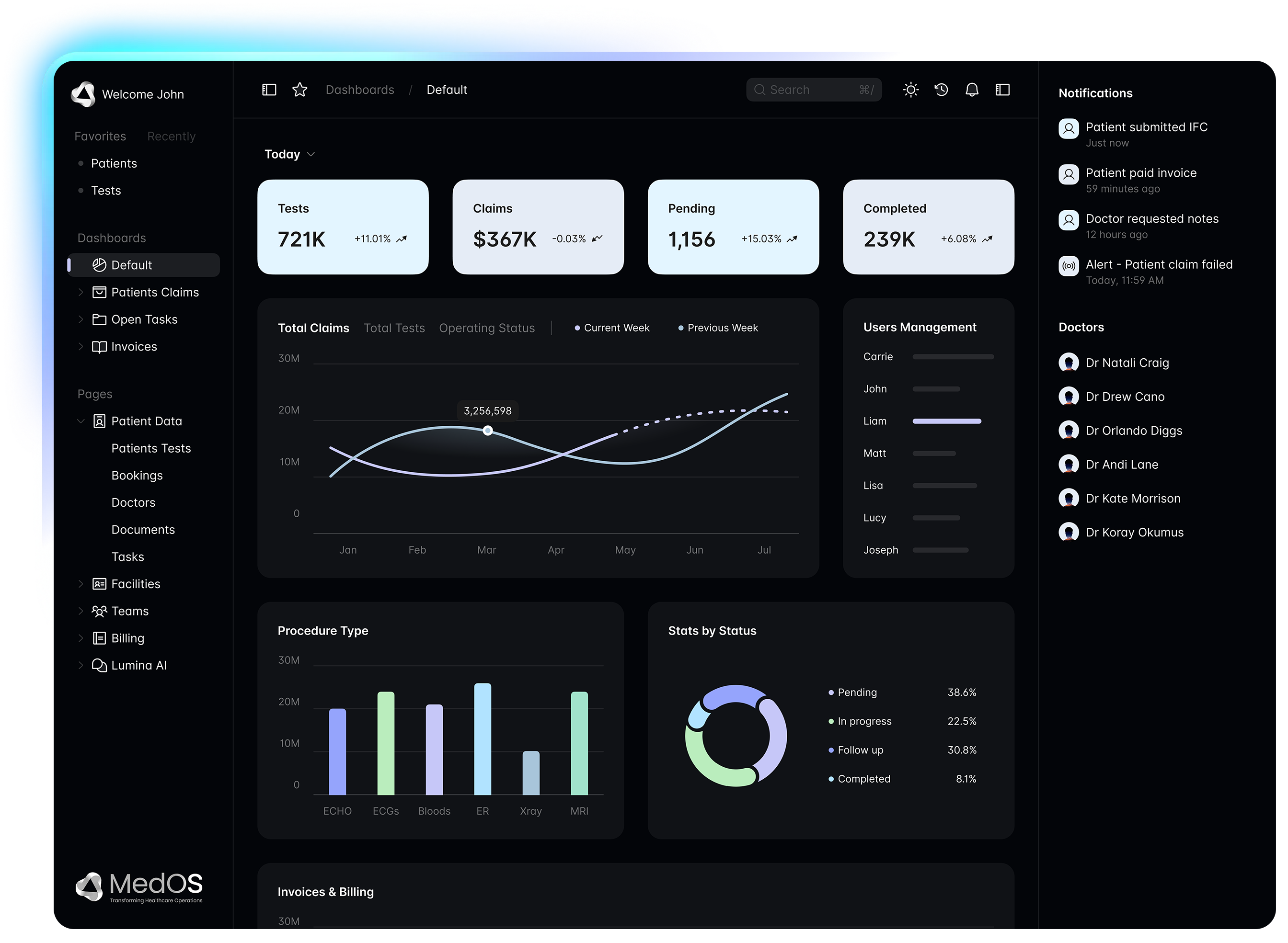
We're not an EMR. We're everything else your healthcare business needs to run.


More time for care
70%+ less manual admin
Proven in complex healthcare environments
What changes when healthcare runs on MedOS
Behind every workflow is a person — a patient waiting, a nurse stretched thin, an admin buried in paperwork. MedOS quietly takes the weight off, so your people can do their best work.
More time for patients
Automate the repetitive admin so your team can focus on the moments that actually matter.

Calmer, coordinated teams
Everyone sees the same picture. Less chasing, fewer handovers, no work falling through the cracks.
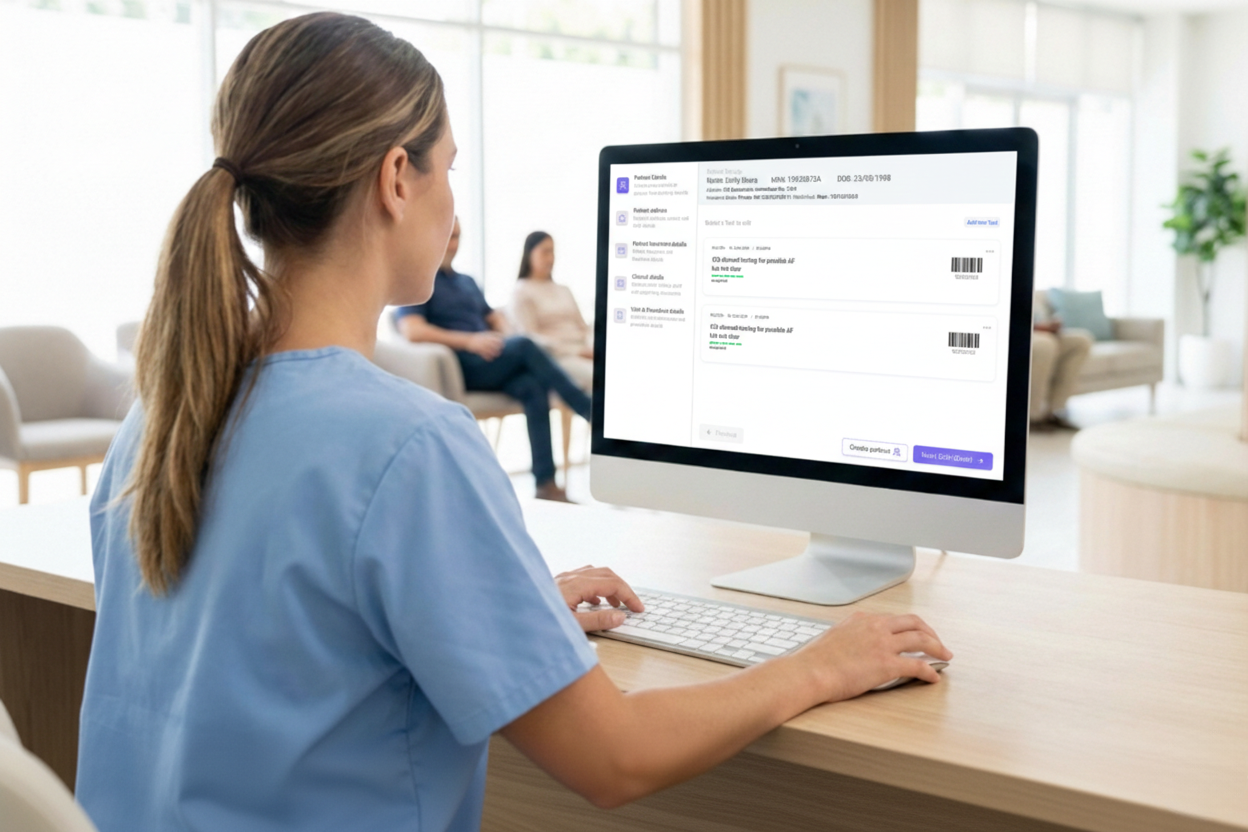
A journey patients feel
Faster intake, clearer communication and a smoother experience — from first referral to follow-up.
Healthcare operations are too fragmented
Clinical systems may hold important records, but the operational layer around them is often messy, slow and expensive to change. Teams run on disconnected tools, manual processes and workarounds.
Manual admin everywhere
Duplicate entry, paper forms, spreadsheets and email-based workflows slow teams down.
Disconnected systems
Referrals, billing, forms, documents and reporting often live in different places.
Rigid software
Systems force teams to change their workflow instead of adapting to how they already work.
Slow implementation
Traditional systems require large upfront projects before any value is delivered.
Poor visibility
Managers can't easily see bottlenecks, billing gaps, staff workload or patient flow.
Patient experience suffers
Patients repeat information, wait longer and receive inconsistent communication.
MedOS connects the operational layer of healthcare
MedOS sits across your healthcare operation — connecting the tools you already use, removing manual steps, and giving teams the workflows they need without forcing a full system replacement.
Modular, configurable and designed to grow with your organisation.

Connect
Connect existing systems, referrals, documents, staff, patients and billing workflows.
Automate
Trigger actions, communications, tasks and workflows based on real operational events.
Configure
Build forms, templates, workflows and modules without complex development.
Measure
Track performance, workload, billing, patient flow, compliance and operational KPIs.
And behind the calm, one connected system
Everything your operation runs on — workflows, forms, billing, documents, reporting and automation — in a single real-time view your teams will actually enjoy using.
The smartest medical calendar
Scheduling built for real clinical operations — clinicians, sites, rooms and devices, recurring treatment plans, blocked theatre time, buffers and opening hours. The calendar that actually understands healthcare.
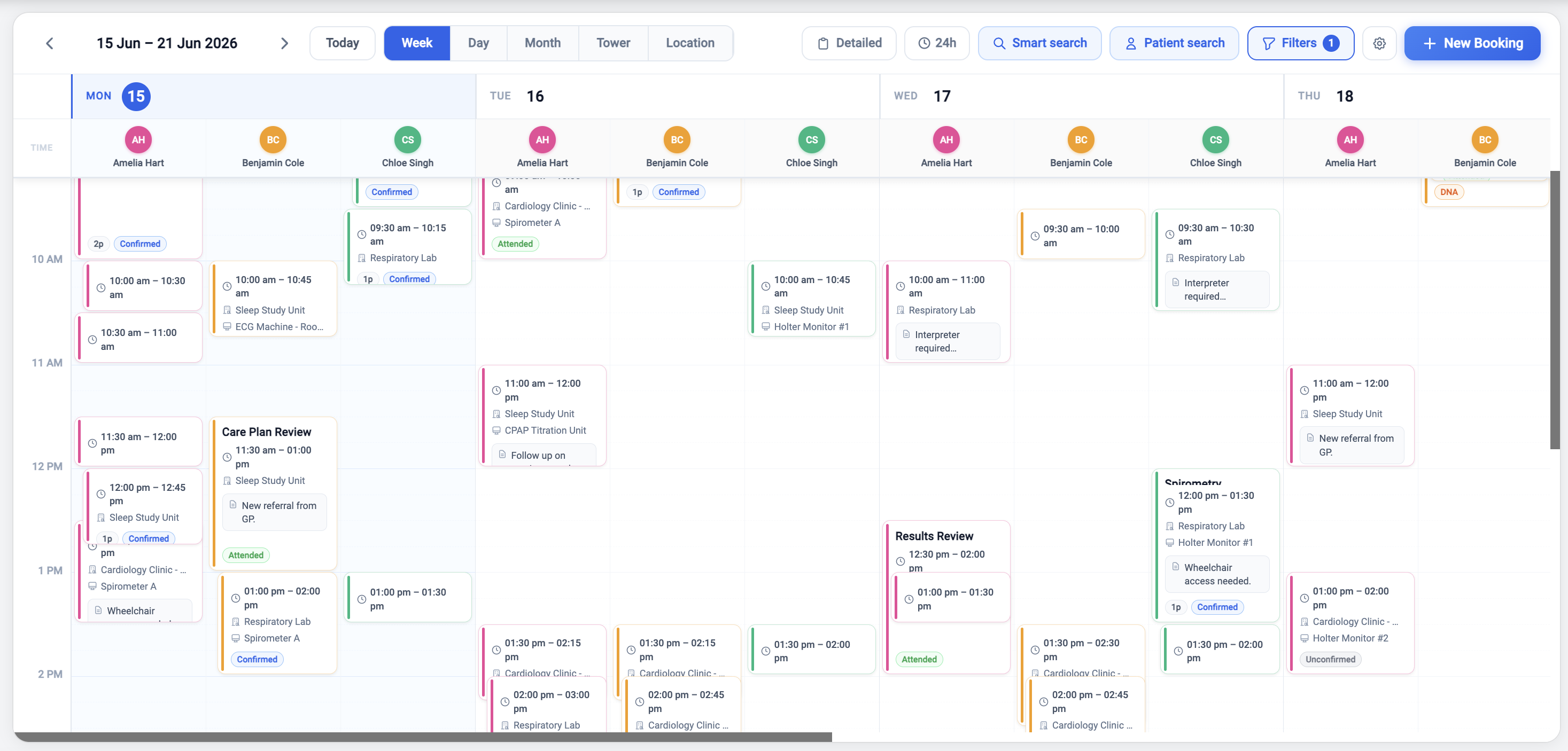
Clinicians ⇄ locations
One toggle re-columns day, week and month by who is working or where the work happens, and recolours to match.
Recurring series
Daily, weekly on chosen days, or monthly — ending after N or on a date. Clashes are skipped and reported, and edits apply to this event, this and following, or all.
Blocked time
Theatre lists, leave and maintenance hatch out the grid. Bookings that overlap a block are refused, not warned about.
Buffers
Prep and clean-down time before and after a booking, shown on the grid and counted in device conflict checks.
Facility hours
Each site keeps its own weekly opening hours; out-of-hours time is shaded and booking into it asks first.
Devices and rooms
Scanners, labs, chairs and theatres are bookable resources with their own conflict rules.
Categories that carry defaults
Choosing a booking category fills the title and sets the appointment length your practice actually uses.
Saved views
Filter by clinician, location, category, device or status — then save the view your team opens every morning.
Public holidays
Import the holiday calendar once; week and month mark them for everyone.
Nineteen modules. One connected record.
Start with what you need today. Every module writes to the same operational layer, so nothing is entered twice and nothing drifts out of sync.
MedCalendar
Scheduling that understands clinicians, sites, rooms, devices and the rules each of them work under.
- Group by clinician or location
- Recurring series, blocks and buffers
- Per-facility opening hours
- Devices and rooms as bookable resources
Every referral and result arrives in one place
Medical Objects, e-fax, email and the scanner all land in the same triage queue — classified, matched to a patient, assigned, actioned and audited. The clinical front door, finally in one piece.
Referral — chest pain, urgent
Dr Priya Raman · Northside GP
Medical ObjectsReferralPatient linkedFBC, UEC, LFT results
Melbourne Pathology
Medical ObjectsPathology resultPatient linkedScanned request form (2 pages)
+61 3 9xxx xxxx
E-faxReferralNeeds patient matchDischarge summary — 14 Aug
St Vincent's Hospital
E-faxDischarge summaryPatient linkedConsent form returned
reception@clinic.com.au
EmailConsent formPatient linked
Channels in
Medical Objects
Australian secure clinical messaging — referrals, specialist letters and results delivered straight into triage, with the raw message kept intact.
E-fax
The referral channel nobody has managed to switch off yet. Connect your fax provider and inbound faxes arrive as classified documents, not paper.
Monitored clinical mailboxes, with attachments split out and typed on arrival.
Scan & upload
Front-desk scanning and drag-and-drop for whatever walks in the door, filed the same way as everything else.
API
Push documents in from any system you already run, through the same envelope every other channel uses.
Matched, not guessed
MedOS proposes the patient from the message demographics. A confident match links itself; anything else waits in Needs patient match for a human. You can create the patient from the document in one step.
Linked to real work
Attach the document to a procedure, raise the booking, assign it to a person or a team, tag it, escalate it or file it — from the same screen you read it in.
Nothing lost, everything logged
The raw HL7 or original file is preserved untouched alongside the extracted data, and every action on a message is written to an audit trail.
Classified on arrival
If a person is retyping it, MedOS can do it
67 events across 17 parts of the platform can start a workflow. Write the rule the way you would explain it to a new starter — when this happens, and these things are true, do this — then dry-run it before you turn it on.
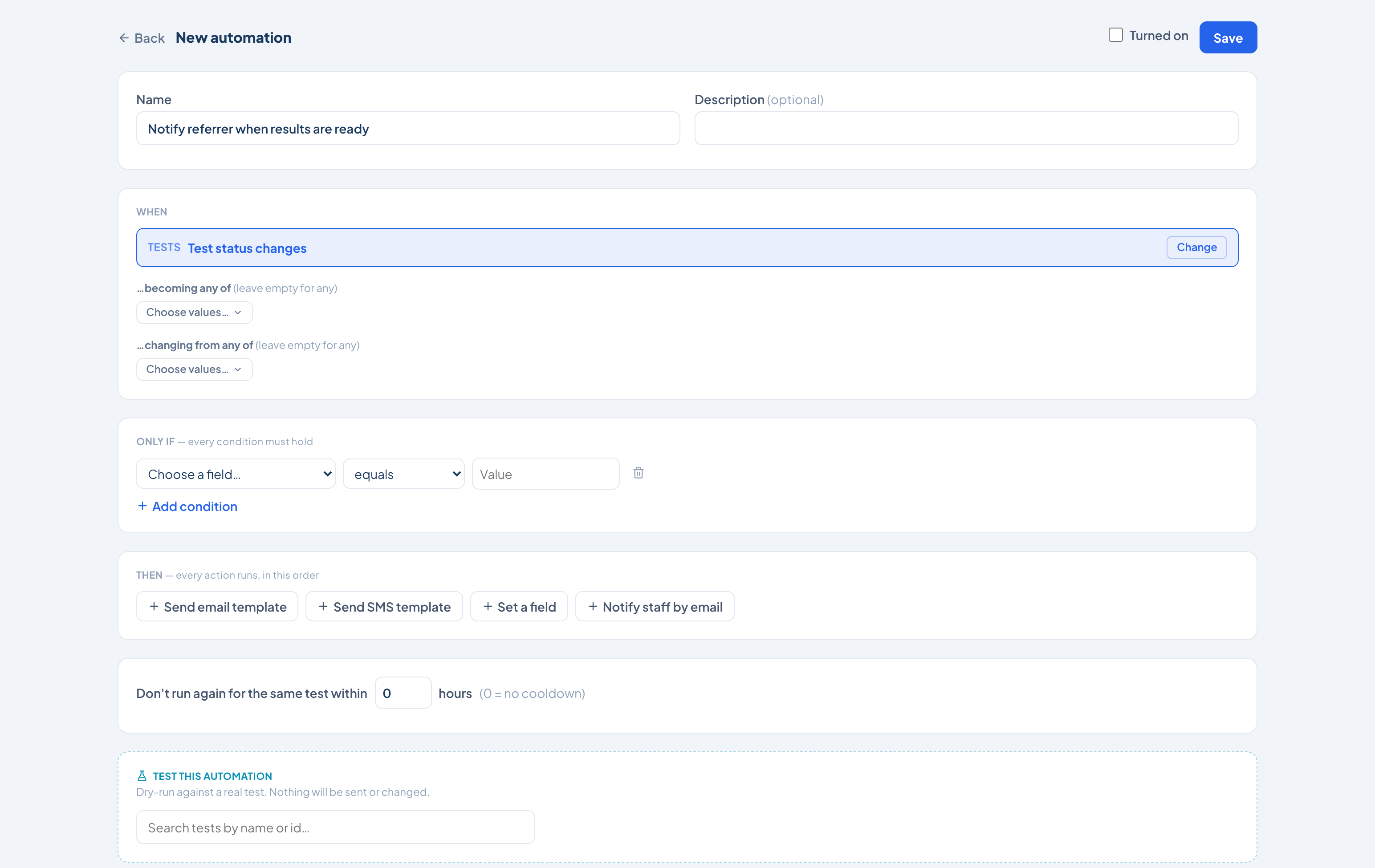
Workflows practices actually run
When
Test status changes
- …becoming any of
- Awaiting feedback
- …changing from any of
- In progress
Only if — every condition must hold
Referring Doctoris not emptyClinical Serviceis one ofCardiology, Sleep
Then — every action runs, in this order
- 1Send email template“Results ready” to the referring doctorimmediately
- 2Set a fieldPriority → Highimmediately
- 3Notify staff by emailthe reporting queueimmediately
67 events can start a workflow
Clinical, financial, administrative and inventory — the whole platform, not just the patient record.
Tests9
Test status changes
Patients6
Patient status changes
Calendar4
Calendar event status changes
Invoices7
Invoice is created
Payments3
Payment is received
Clinical Services4
Service is created
Leads5
Lead is created
Reports4
Test report is confirmed
Letters2
Letter is signed
Tasks4
Task is created
Inventory4
Inventory item is created
Delivery Notes3
Delivery note is created
Loss & Adjustments4
Loss or adjustment is created
Purchase4
Purchase order is created
Notes1
Note is created
Form Results2
Form is submitted
Custom Buttons1
Custom button is pressed
What it can do
Send an email template
Your branded template, to the patient, the referrer or anyone on the record — immediately or after a delay you set.
Send an SMS template
The same, over SMS, for the messages that have to be read rather than filed.
Set a field
Any field on the record — status, priority, assignee, dates, insurer, device, and every custom field your practice has added.
Notify staff by email
Put the right person on it the moment the condition is met, without them watching a queue.
Condition operators
Built to be trusted with live work
An automation that fires on a patient record has to be safe to change. These are the guardrails around every workflow.
- Transition matching, not just state
- A trigger can watch what a field is becoming and what it is changing from — so "moved out of Awaiting results" is a rule, not a report.
- Ordered actions with delays
- Actions run in the order you place them, each either immediately or after a wait you set in minutes.
- Cooldowns
- Stop a rule firing twice for the same record inside a window you choose — no duplicate reminders when a status bounces.
- Dry run before you arm it
- Test the automation against a real record. It reports what would happen and sends nothing, changes nothing.
- Versioned and reversible
- Every save is a new version. Turn a workflow off, roll it back, or export it and import it into another site.
- Run history you can audit
- Every execution is logged against the record it touched, with the outcome — completed, skipped or cancelled — and why.
A smoother journey for every patient
From referral to follow-up, MedOS connects every step — so patients don't feel the burden of disconnected systems.
Step 01 / 9
Referral received
A referral arrives via form, email, fax, PDF or integration — captured automatically, nothing missed.
Built around workflows, not software limitations
Traditional systems
- Expensive upfront implementation
- Rigid workflows
- Slow to customise
- Requires full ecosystem buy-in
- Clinical-first, admin-second
- Difficult integrations
- Delayed ROI
- High operational friction
MedOS
- Modular deployment
- Low-code configuration
- Fast rollout
- Works with existing systems
- Workflow-first design
- Integration-ready
- Value delivered early
- Built for operational flexibility
MedOS adapts to the healthcare organisation. The healthcare organisation should not have to bend around software.
Nine kinds of practice. One operational layer.
Proven in real healthcare operations
St Vincent's Pathology
Victoria, Australia · 70+ collection centres
Challenge
Manual data entry, disconnected workflows and legacy systems.
Solution
MedOS deployed as a connective operational layer — without requiring a full system replacement.
70%+
reduction in manual admin workload
24h → 30s
patient form turnaround time
70+
collection centres connected
- Real-time visibility into billing and workforce KPIs
- Improved data accuracy
- Better collection traceability
- Legacy systems enhanced without full replacement
Before
Manual entry · 24h+ turnaround · siloed systems
After
Automated intake · <30s · connected workflows
Ready to make healthcare run better?
MedOS helps healthcare organisations connect fragmented operations, reduce manual admin, improve visibility and deliver a smoother patient journey.